
Item Categories in QuickBooks
Item categories in QuickBooks Enterprise allow you to more easily find and filter products and services when entering transactions and creating reports. This feature was introduced in 2023 but was improved in 2024. You do not need advanced inventory to use this feature.
Activating Item Categories in QuickBooks
You can activate categories in preferences. You must switch to single-user mode. From the top menu, select Edit > Preferences > Items & Inventory. Choose the company tab at the top. You will see the Categorize Items feature at the bottom and select “Activate categories.”

How to add Item Categories in QuickBooks
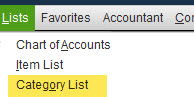
From the top menu, select Lists > Category List.
At the bottom left of the screen, select “Manage Categories” and then “Add new category.”

By default, all of your items will start as “uncategorized.” First, create new categories and sub-categories. You can create multiple sub-categories of a particular main category.

Note that you can only have a main category and 3 hierarchical levels (sub-categories of a sub-category).
Manage Item Categories in QuickBooks
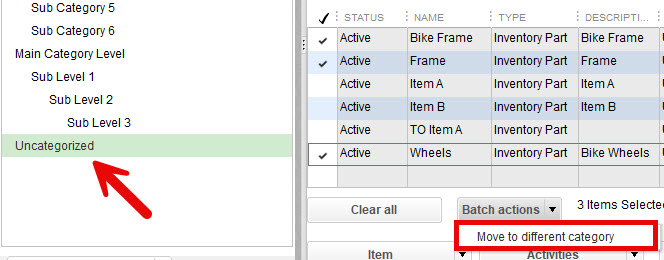
Select “Uncategorized” at the left, and you will see all your parts and services. Check off some items, and you wish to move to a new category. At the bottom, select Batch actions > Move to a different category.
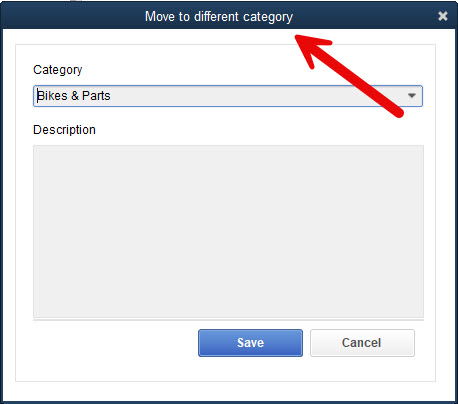
A new window will pop up and allow you to enter the new category at the top.
When searching for items to categorize, you may sort column headers (see below) or use the “Look For” field.

Using Item Categories in QuickBooks
Once you’ve moved the items to the new categories, you may find them useful for entering transactions and creating reports. They can also be used in price rules.
Using Categories to Enter Transactions
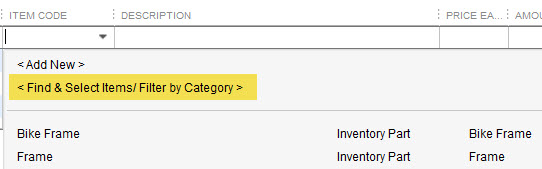
When creating transactions such as an invoice, there is an new option <Find & Select Items / Filter by Category>
Categories are also available when making inventory adjustments.
This will open a search window where you can filter items by category. Searching for Bikes & Parts shows only related parts. Select which ones to add to the transaction.

Reports for Item Categories in QuickBooks
Item categories in QuickBooks are available in the following reports:
The categories field can also be added to the following reports:
Several reports can be filtered by one or more categories.
Using Categories with Price Rules
Item categories are available with price rules. You may create conditions using a category (1 per rule).

There is a support video here.