
Print QuickBooks Reports with Grid Lines
QuickBooks Desktop Enterprise now allows you to print QuickBooks reports with grid lines. This feature can be very useful for both detail and list reports.
How to Print QuickBooks Reports with Grid Lines
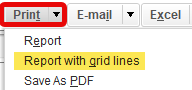
When you select the print option in the top menu, a new feature will now appear.
Select the print option in the top menu. Select “Report with grid lines.”
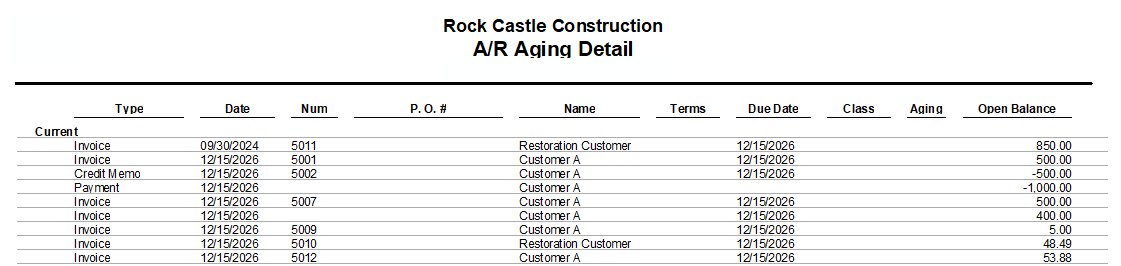
Your report will now have grid lines. Very useful for reports such as A/R Aging Detail:
And reports such as the Account Listing:

Previously, one option was to download the report to a spreadsheet and add lines.
With this new feature, we now have another option to print QuickBooks reports with grid lines.
This option is available in QuickBooks 2024 Release 7 (R7), which was released June 13, 2024. The support article can be found here.