
Units of Measure in QuickBooks
Units of measure in QuickBooks are an essential feature for many users. QuickBooks can convert and track if you buy by the gallon and sell by the ounce, buy by the case and sell by each unit, etc.
- Need to buy by the gallon and sell by the ounce?
- Buy by the case and sell by individual parts in the case?
- Buy by the pound and sell by the ounce?
Does QuickBooks allow you to do this? You bet!
Select Units of Measure in Preferences
First, this feature must be turned on. From the menu at the top, select Edit > Preferences > Items and Inventory. On the Company tab, set units of measure to Multiple U/M Per Item.

Creating Units of Measure
The next step is to set up the Unit of Measure Set List. From the menu bar at the top, select Lists > Select U/M Set List.

Then click “U/M Set,” located at the bottom left of the screen. The window shown below appears. Select “New.”

After you select “New,” you can select the Unit of Measure Type.

You need to select the smallest unit in your set. This will become your “base” unit of measure.
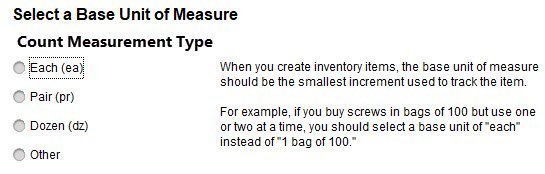
When you select Count, the following options appear:
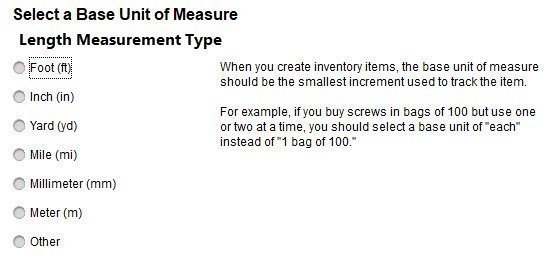
If you select Length, you are given the following options:
If you select Weight, you are given the following options:

If you select Volume, you are given the following options:

When you select Area, the following options appear:

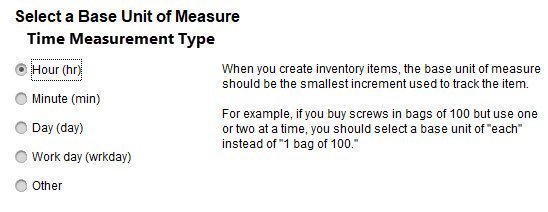
If you select Time, you are given the following options:
If you select Other, you are given the option to create your own base units.

Using Units of Measure in QuickBooks
We plan to purchase donuts in bulk and sell them individually. So we create a new unit of measure where the base unit is an individual donut, and a related unit of measure would be 12 (a dozen). This will allow us to create a purchase order and buy by the dozen while selling by individual donuts on invoices. QuickBooks will keep an inventory count of how many donuts we have on hand. Every time we buy a dozen donuts, it will add 12 individual donuts to the inventory count.
If we buy 6 dozen donuts, the purchase order would look like this:

When we receive this inventory, QuickBooks will add 72 donuts to our inventory.
An invoice for an individual donut would look like this:

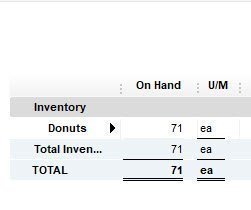
The inventory report lists the base unit, which in our case is individual donuts. So, in our example, we bought 6 dozen donuts and sold 1. We now have 71 donuts listed on our inventory report.
Please let me know if you have any questions about units of measure in QuickBooks.
Interested in my other posts on Inventory?